管理连接#
连接有助于安全地存储和管理与大型语言模型 (LLM) 和其他外部工具(例如 Azure 内容安全)交互所需的密钥或其他敏感凭据。
注意
本文档旨在本地管理连接。要在本地使用 Azure AI 连接,请参阅此指南。
连接类型#
Prompt flow 支持多种类型的连接,大致可分为强类型连接和自定义连接。强类型连接包括 AzureOpenAIConnection、OpenAIConnection 等。自定义连接是一种通用连接类型,可用于存储自定义定义的凭据。
我们将以 AzureOpenAIConnection 为例说明强类型连接,并以 CustomConnection 为例说明如何管理连接。
创建连接#
注意
如果您正在使用 WSL 或其他没有默认密钥环存储后端的操作系统,您可能会遇到 StoreConnectionEncryptionKeyError,请参阅常见问题以获取解决方案。
每个强类型连接都有相应的 YAML 架构,以下示例显示了 AzureOpenAIConnection YAML
$schema: https://azuremlschemas.azureedge.net/promptflow/latest/AzureOpenAIConnection.schema.json
name: azure_open_ai_connection
type: azure_open_ai
api_key: "<to-be-replaced>"
api_base: "https://<name>.openai.azure.com/"
api_type: "azure"
api_version: "2023-03-15-preview"
自定义连接 YAML 将有两个字典字段用于存储机密和配置,以下示例显示了 CustomConnection YAML
$schema: https://azuremlschemas.azureedge.net/promptflow/latest/CustomConnection.schema.json
name: custom_connection
type: custom
configs:
  endpoint: "<your-endpoint>"
  other_config: "other_value"
secrets:  # required
  my_key: "<your-api-key>"
准备好 YAML 文件后,使用以下 CLI 命令创建它们
# Override keys with --set to avoid yaml file changes
pf connection create -f <path-to-azure-open-ai-connection> --set api_key=<your-api-key>
# Create the custom connection
pf connection create -f <path-to-custom-connection> --set configs.endpoint=<endpoint> secrets.my_key=<your-api-key>
如果连接创建成功,预期结果如下。
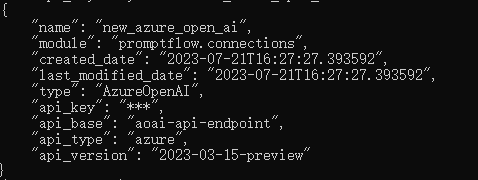
使用 SDK,每种连接类型都有一个相应的类来创建连接。以下代码片段展示了如何导入所需的类并创建连接
from promptflow.client import PFClient
from promptflow.entities import AzureOpenAIConnection, CustomConnection

# Get a pf client to manage connections
pf = PFClient()

# Initialize an AzureOpenAIConnection object
connection = AzureOpenAIConnection(
    name="my_azure_open_ai_connection",
    api_key="<your-api-key>",
    api_base="<your-endpoint>",
    api_version="2023-03-15-preview"
)

# Create the connection, note that api_key will be scrubbed in the returned result
result = pf.connections.create_or_update(connection)
print(result)

# Initialize a custom connection object
connection = CustomConnection(
    name="my_custom_connection",
    # Secrets is a required field for custom connection
    secrets={"my_key": "<your-api-key>"},
    configs={"endpoint": "<your-endpoint>", "other_config": "other_value"}
)

# Create the connection, note that all secret values will be scrubbed in the returned result
result = pf.connections.create_or_update(connection)
print(result)
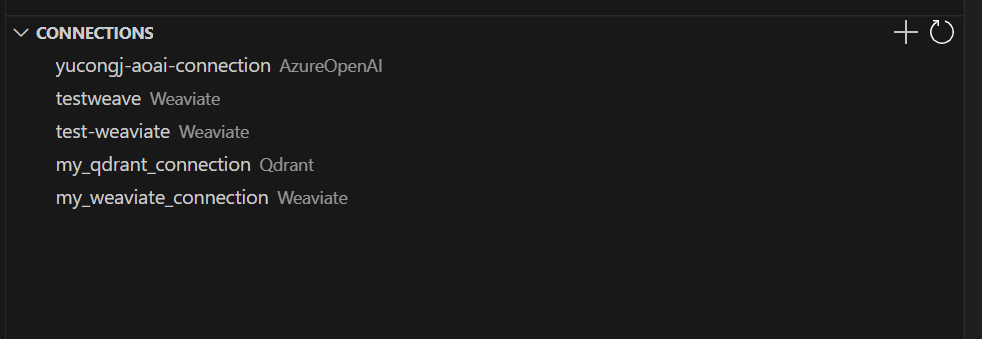
在 VS Code 主侧边栏 > prompt flow 窗格中。您可以找到连接窗格来管理您的本地连接。点击右上角的“+”图标,按照弹出的说明创建您的新连接。
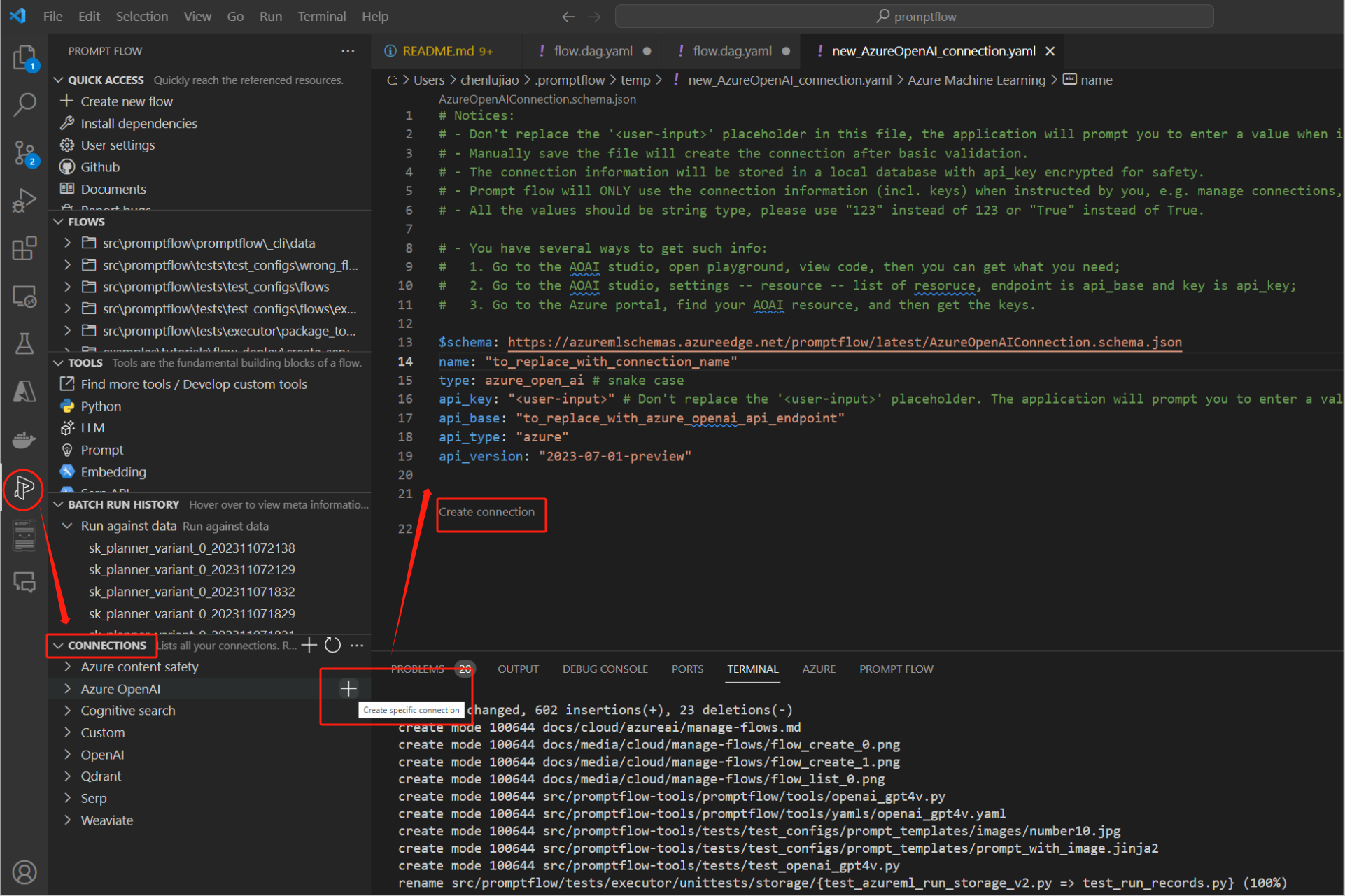
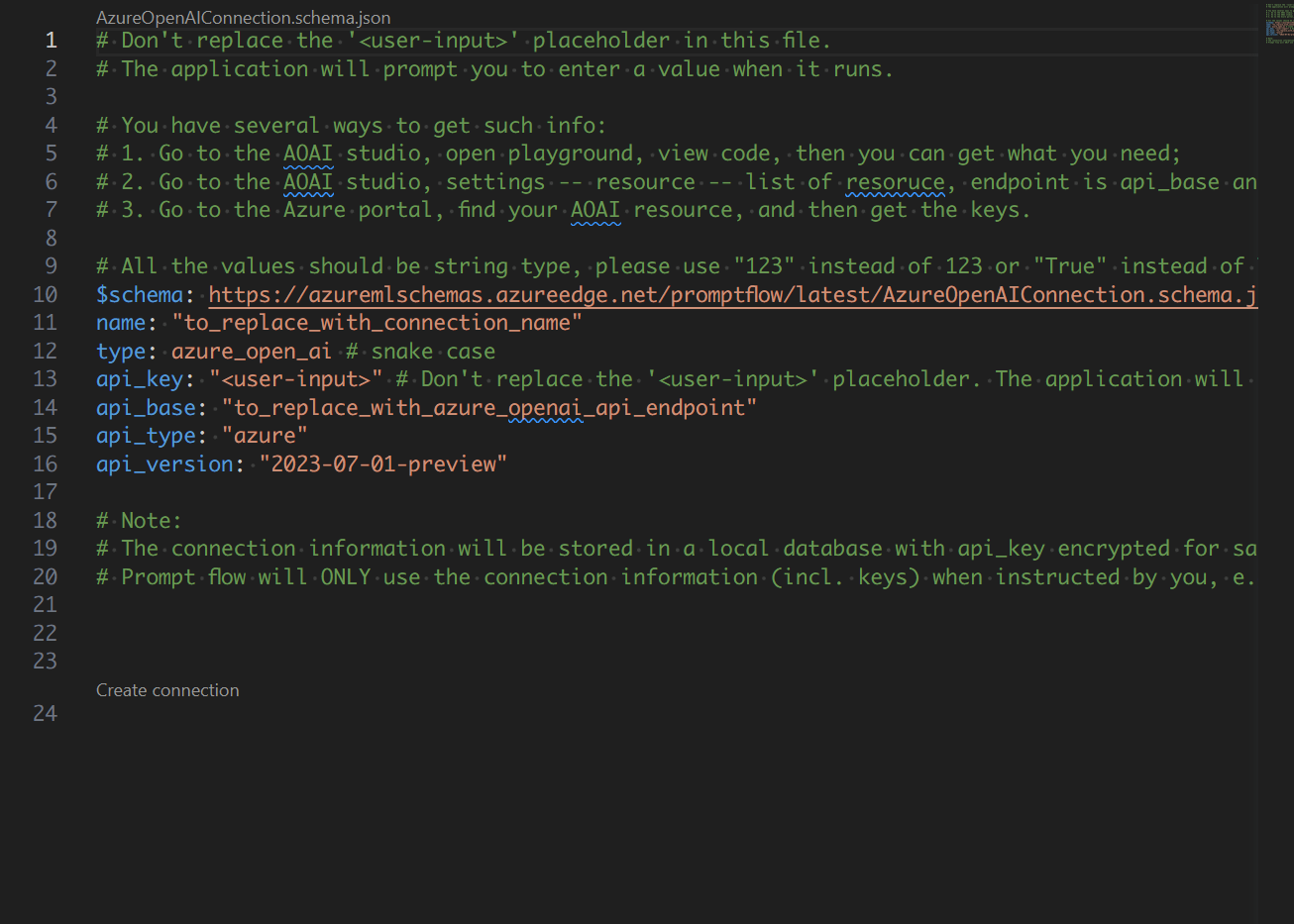
更新连接#
以下命令显示了如何使用新值更新现有连接
# Update an azure OpenAI connection with a new api base
pf connection update -n my_azure_open_ai_connection --set api_base='new_value'
# Update a custom connection
pf connection update -n my_custom_connection --set configs.other_config='new_value'
以下代码片段显示了如何使用新值更新现有连接
# Update an azure OpenAI connection with a new api base
connection = pf.connections.get(name="my_azure_open_ai_connection")
connection.api_base = "new_value"
connection.api_key = "<original-key>"  # secrets are required when updating connection using sdk
result = pf.connections.create_or_update(connection)
print(connection)
# Update a custom connection
connection = pf.connections.get(name="my_custom_connection")
connection.configs["other_config"] = "new_value"
connection.secrets = {"key1": "val1"}  # secrets are required when updating connection using sdk
result = pf.connections.create_or_update(connection)
print(connection)
在 VS Code 主侧边栏 > prompt flow 窗格中。您可以找到连接窗格来管理您的本地连接。右键单击连接列表中的项目以更新或删除您的连接。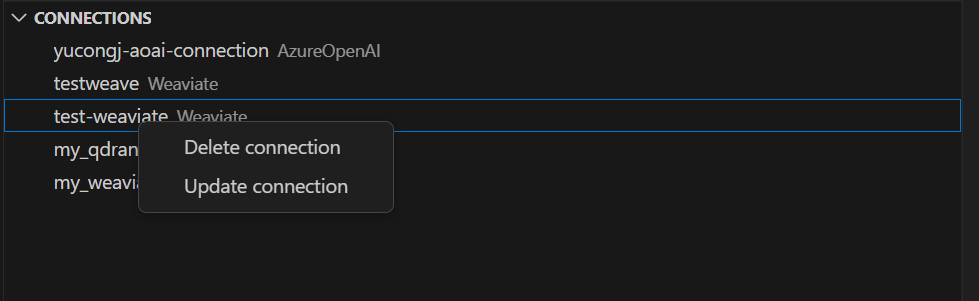
列出连接#
列出连接命令将以 JSON 列表格式返回连接,请注意,所有机密和 API 密钥都将被擦除
pf connection list
列出连接命令将返回连接对象列表,请注意,所有机密和 API 密钥都将被擦除
from promptflow.client import PFClient
# Get a pf client to manage connections
pf = PFClient()
# List and print connections
connection_list = pf.connections.list()
for connection in connection_list:
    print(connection)
删除连接#
使用以下命令删除连接
pf connection delete -n <connection_name>
使用以下代码片段删除连接
from promptflow.client import PFClient

# Get a pf client to manage connections
pf = PFClient()
# Delete the connection with specific name
pf.connections.delete(name="my_custom_connection")
在 VS Code 主侧边栏 > prompt flow 窗格中。您可以找到连接窗格来管理您的本地连接。右键单击连接列表中的项目以更新或删除您的连接。
从环境变量加载#
使用 promptflow>=1.8.0,用户能够使用 <ConnectionType>.from_env 函数从 OS 环境变量加载连接对象。请注意,连接对象不会被创建到本地数据库。
支持的类型如下
连接类型 |
字段 |
相关环境变量 |
|---|---|---|
OpenAIConnection |
api_key |
OPENAI_API_KEY |
organization |
OPENAI_ORG_ID |
|
base_url |
OPENAI_BASE_URL |
|
AzureOpenAIConnection |
api_key |
AZURE_OPENAI_API_KEY |
api_base |
AZURE_OPENAI_ENDPOINT |
|
api_version |
OPENAI_API_VERSION |
例如,在环境中设置 OPENAI_API_KEY 后,可以使用 OpenAIConnection.from_env() 加载 OpenAIConnection 对象。
使用 Microsoft Entra ID 进行身份验证#
Microsoft Entra ID 是一种基于云的身份和访问管理服务,使您的员工能够访问外部资源。
某些 promptflow 连接类型支持使用 Microsoft Entra ID 进行连接身份验证。
连接类型 |
Yaml 字段 |
值 |
包要求 |
VS Code 扩展 |
|---|---|---|---|---|
AzureOpenAIConnection |
auth_mode |
meid_token |
|
1.20.0 |